
About Box PDF – Free Online PDF Tools in One All-in-One Platform
In today’s digital world, PDF files are everywhere. As a result, students, professionals, and businesses rely on PDFs every day. Because of this, people often need reliable free online PDF tools to manage documents easily. However, many PDF solutions are expensive or hard to use. Therefore, users look for a simpler option.
For this reason, Box PDF was created. In simple terms, it is a powerful all-in-one PDF tool that works directly in your browser. Moreover, you can manage PDF files quickly and securely. Most importantly, there is no need to install software, create an account, or pay hidden fees.
Our mission is simple. In other words, we want to make PDF document management fast, easy, and accessible for everyone.
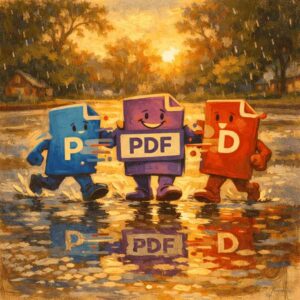
Why Box PDF Exists
Today, PDF tools are essential for productivity. For example, you may need to merge files, split pages, compress large documents, or convert PDFs into Word or Excel. However, using different tools for each task wastes time. As a result, productivity drops and costs increase.
That is why Box-PDF brings all essential PDF features into one clean platform. In addition, it removes unnecessary complexity. Whether you work with academic files, office documents, or personal PDFs, Box-PDF helps you finish tasks faster. Therefore, your workflow becomes smoother.
Core PDF Tools to Improve Your Workflow
Box-PDF offers professional free online PDF tools designed to simplify document handling. In fact, each tool is built for speed and ease of use.
Merge PDF
First, combine multiple PDF files into one organized document. For instance, this is ideal for reports, portfolios, and manuals. As a result, your files stay structured.
Split PDF
Next, extract selected pages or divide large PDFs into smaller files. This way, you can remove unwanted pages easily. Moreover, managing chapters becomes simpler.
Compress PDF
In addition, reduce PDF file size while keeping good quality. Because of this, sharing files by email becomes faster. Therefore, upload limits are no longer a problem.
Organize PDF
Finally, reorder, rotate, or delete pages using a drag-and-drop interface. In short, you stay in full control of your document.
Professional PDF Conversion Tools You Can Trust
File conversion is a common document task. For this reason, Box-PDF provides fast and accurate conversion tools. At the same time, original formatting is preserved.
Convert From PDF
PDF to Word – Convert PDF into editable Word Files. As a result, editing becomes easy.
PDF to Excel – Extract tables and data into Excel sheets. Therefore, data stays usable.
PDF to PowerPoint – Turn PDF pages into presentation slides. This way, presenting is faster.
PDF to JPG – Save PDF pages as high-quality images. For example, use them online or in documents.
Convert To PDF
Word to PDF – Create professional PDFs from DOCX files. As a result, sharing is simple.
Excel to PDF – Convert spreadsheets into clean PDFs. Moreover, charts stay clear.
PowerPoint to PDF – Save presentations in PDF format. Therefore, compatibility improves.
JPG to PDF – Combine images into one PDF file. In addition, files stay organized.
HTML to PDF – Save web pages for offline reading. Because of this, access is always available.
Advanced PDF Editing and Security Tools
Box-PDF also offers advanced features. As a result, you gain full control over your documents. At the same time, security remains strong.
Edit PDF
Add text, images, highlights, and annotations directly in your browser. In other words, editing is quick.
Sign PDF
Sign documents securely using typed or drawn signatures. For example, this is useful for contracts.
Watermark PDF
Add text or image watermarks to protect your PDF Files. Therefore, ownership stays clear.
Protect PDF
Secure sensitive files with strong password protection. As a result, data remains private.
Unlock PDF
Remove passwords from PDFs when you have permission. This way, access is restored.
Redact PDF
Permanently remove sensitive information. Because of this, confidentiality is maintained.
Crop PDF
Adjust margins and remove unwanted spaces. In short, documents look professional.
Why Thousands of Users Trust Box PDF
Box-PDF is trusted worldwide. This is because we focus on simplicity, speed, and privacy. Above all, user trust matters.
100% Free PDF Tools
All tools are completely free. In addition, there are no subscriptions or limits.
Client-Side Processing for Privacy
Most importantly, your files never leave your device. Therefore, data stays secure.
Fast and Reliable Performance
Because files are processed locally, results are instant. As a result, there is no waiting time.
Simple and User-Friendly Interface
Finally, anyone can use Box-PDF without technical knowledge. In other words, it is beginner-friendly.
Who Uses Box PDF?
Box-PDF is built for everyone. For example, it supports different user needs.
Students
Combine assignments
Extract study notes
Convert files for submission
Compress PDFs easily
Professionals
Edit and sign documents
Prepare presentations
Convert contracts
Secure sensitive files
Businesses
Manage invoices and reports
Archive documents
Organize PDF files
Protect confidential data
Take Control of Your Documents with Box PDF
In conclusion, Box-PDF provides everything you need in one place. Whether you need basic conversion or advanced editing, our free online PDF tools simplify document management.
Overall, with a clean interface, strong privacy, and fast performance, Box-PDF stands out as a reliable all-in-one PDF tool.
Therefore, bookmark Box-PDF today and enjoy faster, smarter, and easier PDF handling.